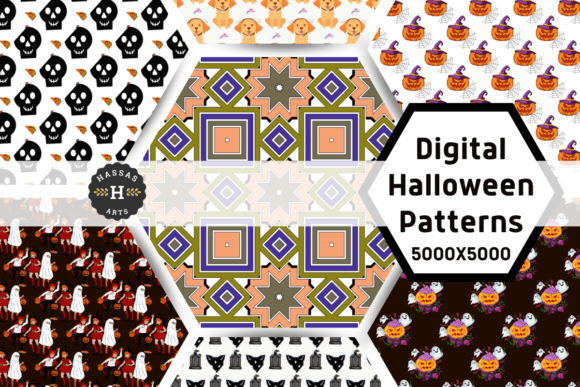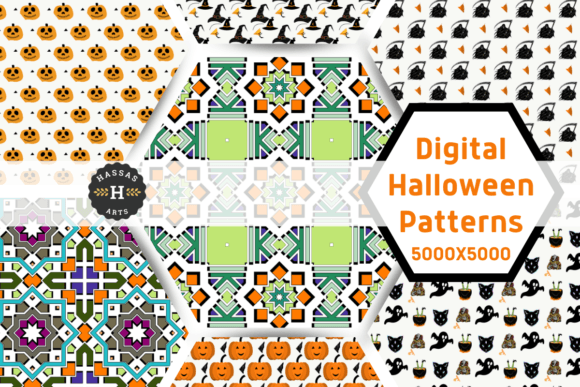
Halloween Digital Paper & Skull Patterns
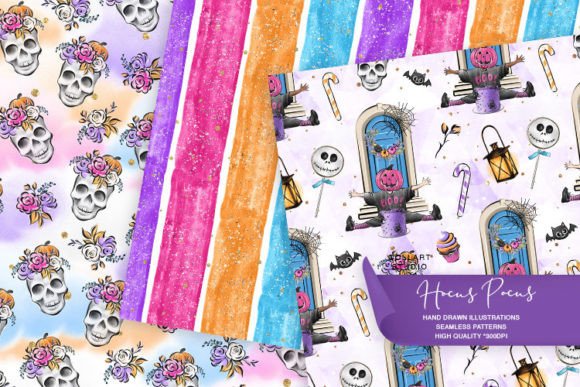
Imagine opening a digital folder and finding three hand-drawn, richly textured 12×12 inch papers—each one alive with moody shadows, delicate linework, and subtle watercolor washes. These aren’t generic clipart repeats or AI-generated motifs. They’re original Halloween Digital Paper, Skull Patterns crafted by Collart Studio: drawn with ink, painted with care, then scanned at true 300 dpi resolution for crisp, print-ready clarity.
What makes them different isn’t just the aesthetic—it’s how they behave in real projects. A planner sticker cut from one of these papers holds texture you can almost feel. A blog banner built from the skull pattern scales cleanly across desktop and mobile. A handmade invitation gains instant character—not because it’s “themed,” but because the paper itself tells a quiet, intentional story.
Why this matters—depending on who you are
For hobbyists and crafters, Halloween Digital Paper, Skull Patterns offers a shortcut to sophistication. You don’t need advanced design skills to make something that looks considered and cohesive. Print a sheet, cut out tags for gift wrapping, or layer a skull motif behind handwritten journal entries. The high-res files mean no pixelation when resizing—even for large-format scrapbook layouts or decoupage on wooden boxes.
For educators and librarians, these papers support seasonal learning without leaning into cliché. A student designing a Gothic literature poster benefits from authentic, art-led visuals—not cartoonish clipart. You can project the patterns during a lesson on symbolism, use them as tactile backgrounds for printable reading logs, or let kids trace and reinterpret the skull forms as part of an art integration unit. The hand-drawn quality invites observation and discussion about line, tone, and intention.
For small business owners and makers, flexibility is non-negotiable. These papers work equally well as base layers for printable greeting cards, repeat patterns for fabric labels (think apothecary-style tea bags or candle packaging), or subtle textures behind product photography. Because they’re licensed for commercial use, you can confidently include them in client deliverables—like a boutique’s limited-edition Halloween newsletter design or a stationery shop’s downloadable planner kit.
For bloggers and content creators, time is often the biggest constraint. Instead of hunting across five stock sites or tweaking low-res assets in Canva, you get three ready-to-deploy, cohesive papers—each with enough visual weight to anchor a layout but enough subtlety to avoid overwhelming text. Use one as a background for an Instagram carousel slide; another as a border element in a Pinterest pin; a third as a watermark texture over a blog header photo.
What changes—and what stays the same—across skill levels
Beginners appreciate that these papers require no editing to be useful. Drag one into Canva or Photoshop, drop it behind your text or illustration, and you’re done. There’s no need to adjust blending modes, mask edges, or wrestle with transparency—each file arrives with clean white space and balanced contrast.
More experienced designers notice the nuance: the slight variation in ink bleed around each skull contour, the soft granulation where pigment settled into the paper grain. That’s not noise—it’s authenticity. It means you can build layered compositions without everything looking digitally uniform. Overlay two patterns at low opacity, and you’ll get organic depth—not sterile repetition.
What doesn’t change? The core utility. Whether you’re printing 5 copies for a classroom activity or licensing the files for a run of 5,000 greeting cards, the 300 dpi resolution holds. No upscaling gymnastics. No unexpected blur at the edges. Just consistent, reliable output—whether you’re working in Procreate, Illustrator, Cricut Design Space, or even Google Slides.
Real uses—beyond the obvious
- Planner stickers: Print on matte sticker paper, cut with a precision blade or die-cut machine—the texture reads beautifully even at 0.75 inches tall.
- Web and blog design: Use as CSS background images (with fallbacks) or as SVG overlays for subtle depth in hero sections.
- Scrapbooking: Print on heavyweight cardstock, then distress edges with sandpaper or a vintage ink pad—the hand-drawn grain enhances the tactile feel.
- Invitations: Combine one skull pattern with minimalist typography for a modern, editorial vibe—or layer it under vellum for a peekaboo effect.
- Fabric or paper patterns: Tile seamlessly in design software (the edges align cleanly), then export for screen printing or digital textile printing.
- Decoupage: Cut shapes from printed sheets and seal over wood, glass, or ceramic—watercolor texture adds dimension under varnish.
How to know if this fits your needs
If your goal is speed without sacrificing originality—if you want artwork that feels personal but doesn’t demand hours of custom illustration—then Halloween Digital Paper, Skull Patterns bridges that gap. It’s not for users who need photorealistic 3D skulls or animated assets. It’s for those who value craftsmanship in the foundation of their work.
You’ll likely reach for these files most when: — You’re curating a mood board and want grounded, human-made elements instead of algorithmic outputs
Click “Zoom” on any product image to see the fine ink strokes and watercolor lift—details that only emerge at full resolution. What you’re seeing isn’t a filter or effect. It’s the trace of a hand, translated faithfully into a tool you can use—today, thoughtfully, and without compromise.