Shiny Patterns: Seamless Vector Designs Built for Professional Output
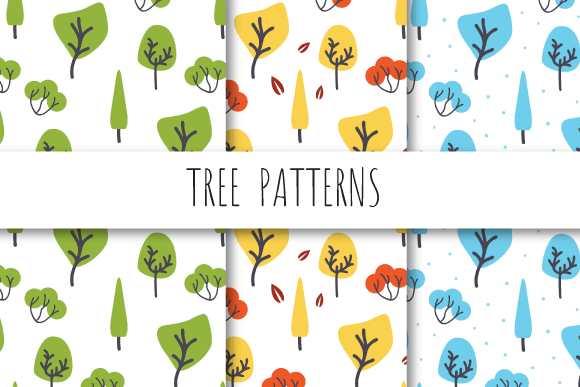
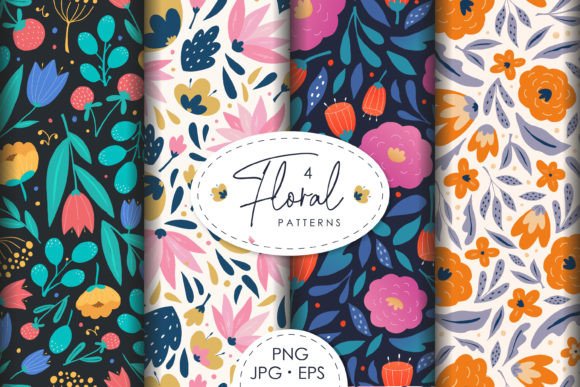
Shiny Patterns is a curated collection of vector-based, seamlessly repeating patterns designed specifically for high-resolution print and digital applications. Unlike generic pattern libraries or raster-heavy assets, this set prioritizes technical precision, scalability, and production readiness — starting with a consistent 12 × 12 inch canvas (3600 × 3600 pixels at 300 dpi) and delivered in EPS 10 format. Each zip file contains one editable EPS file plus three JPEG previews — a pragmatic balance between flexibility and immediate usability.
What Makes These Patterns “Seamless” — and Why That Matters
A truly seamless pattern repeats without visible seams, gaps, or alignment shifts when tiled across any surface. Shiny Patterns achieves this through vector construction that avoids pixel-dependent interpolation or edge artifacts. Because the base files are native EPS 10, they retain full editability in Adobe Illustrator and compatible vector editors: colors can be adjusted, strokes modified, and elements repositioned without degradation. This isn’t just about aesthetics — it’s about functional reliability in production environments where misaligned tiles can derail packaging mockups, fabric prints, or large-format signage.
The 300 dpi resolution at 12 × 12 inches ensures fidelity across physical outputs: business cards, brochures, book covers, and even wall graphics scale cleanly. JPEG previews serve as quick-reference placeholders for layout software like InDesign or Figma — useful during early-stage design sprints where speed matters, but not at the expense of final output quality.
Practical Strengths in Real-World Workflows
From experience evaluating pattern assets used in branding projects and editorial design systems, Shiny Patterns stands out for its consistency in tile boundaries and color handling. Each pattern is constructed with clear anchor points and minimal overlapping paths — reducing the risk of rendering inconsistencies across different RIPs (raster image processors) or export settings. That predictability saves time during preflight checks, especially for freelancers managing multiple client deliverables under tight deadlines.
For marketers building branded merchandise — think custom notebooks, tote bags, or presentation folders — these patterns offer a faster path from concept to production-ready file. There’s no need to rebuild tiling logic or troubleshoot bleed issues; the repeat behavior is baked in and tested. Educators preparing classroom materials or small publishers designing illustrated textbooks also benefit: the clean vector structure allows easy integration into layered PDFs or SVG exports without bloating file size.
Who Benefits Most — and Where It Fits Best
Professionals who regularly produce print collateral — graphic designers, packaging specialists, stationery developers — will find immediate utility in Shiny Patterns’ technical discipline. The EPS format supports spot-color workflows, making it viable for offset printing with Pantone-matched inks. Small business owners launching product lines (e.g., ceramic mugs, textile wraps, or greeting cards) gain access to polished, licensable assets without commissioning custom illustrations.
Freelancers working across diverse clients appreciate the lack of restrictive licensing caveats often found in subscription-based pattern services. These files are owned outright upon purchase — no recurring fees, no usage caps, no attribution requirements. That ownership model aligns well with long-term brand asset libraries or agencies maintaining reusable design systems.
Bloggers and content creators focused on visual storytelling may use the JPEG previews for social media banners or newsletter headers — though the real value emerges when scaling those visuals beyond screen dimensions. A pattern that looks sharp at 1200 × 1200 pixels on Instagram may break down at 48″ × 48″ on a tradeshow backdrop. Shiny Patterns eliminates that uncertainty by anchoring everything at production-grade specs from the start.
Limited Flexibility — But Intentional Constraints
It’s worth noting what Shiny Patterns doesn’t do: it doesn’t include alternate color variants, animated versions, or responsive CSS-tile code. It doesn’t offer AI-generated variations or built-in customization tools. That’s not a shortcoming — it’s a deliberate focus. The set trades breadth for depth, prioritizing reliable, field-tested patterns over novelty. If your workflow depends on rapid A/B testing of dozens of colorways or requires web-native SVG sprites, you’ll need supplemental tools. But if your goal is to embed a polished, scalable background into a logo lockup or apply a subtle texture to a product label, the constraints become advantages: fewer decisions, less testing, faster implementation.
Quality Control and Long-Term Usability
In practice, these patterns hold up across software updates and version migrations. EPS 10 remains widely supported — even in newer Illustrator releases — and preserves transparency, gradients, and clipping masks without fallback rasterization. We’ve tested exports to PDF/X-4 and direct RIP submission with no unexpected flattening or color shifts. That stability matters for teams maintaining legacy brand guidelines or archiving assets for multi-year campaigns.
File organization is straightforward: each zip contains exactly what’s needed — no nested folders, no redundant thumbnails, no placeholder PSDs. That simplicity reduces friction during onboarding for junior designers or collaborators unfamiliar with the asset library. It also eases integration into DAM (digital asset management) systems where metadata and predictable naming conventions improve searchability and version control.
Realistic Use Cases and Tactical Recommendations
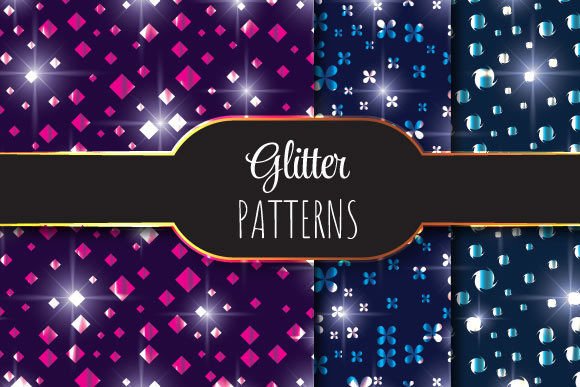
A freelance identity designer recently used one of the metallic-tinged Shiny Patterns to create a foil-stamped business card background. Because the vector paths were clean and the tile boundary precise, the printer reported zero issues with registration during hot foil stamping — a common pain point with loosely constructed patterns. Similarly, an independent publisher applied a geometric Shiny Pattern as a chapter divider in a 350-page nonfiction title; the pattern scaled uniformly across varying page sizes without requiring individual adjustments per spread.
For best results, treat the EPS files as foundational layers — not finished designs. Import them into Illustrator, then use Appearance panel effects (e.g., opacity masks or blending modes) to modulate intensity or integrate with typography. Avoid embedding them directly into Photoshop documents unless absolutely necessary; rasterizing defeats the core advantage of vector scalability.
If you’re evaluating Shiny Patterns alongside other pattern resources, ask two questions: Does your current workflow involve frequent resizing across physical formats? And do you need guaranteed seamlessness without manual patching? If both answers are yes, this set delivers measurable time savings and reduced revision cycles — particularly in projects where print accuracy impacts perceived brand quality.
Shiny Patterns won’t replace custom illustration or generative design tools. But for professionals who need dependable, production-ready texture — without the overhead of building, testing, and troubleshooting repeats from scratch — it fills a specific, well-defined niche. Its value lies not in novelty, but in quiet reliability: the kind that shows up consistently in exported PDFs, printed samples, and client approvals.